Problem
Important updates got lost in the noise
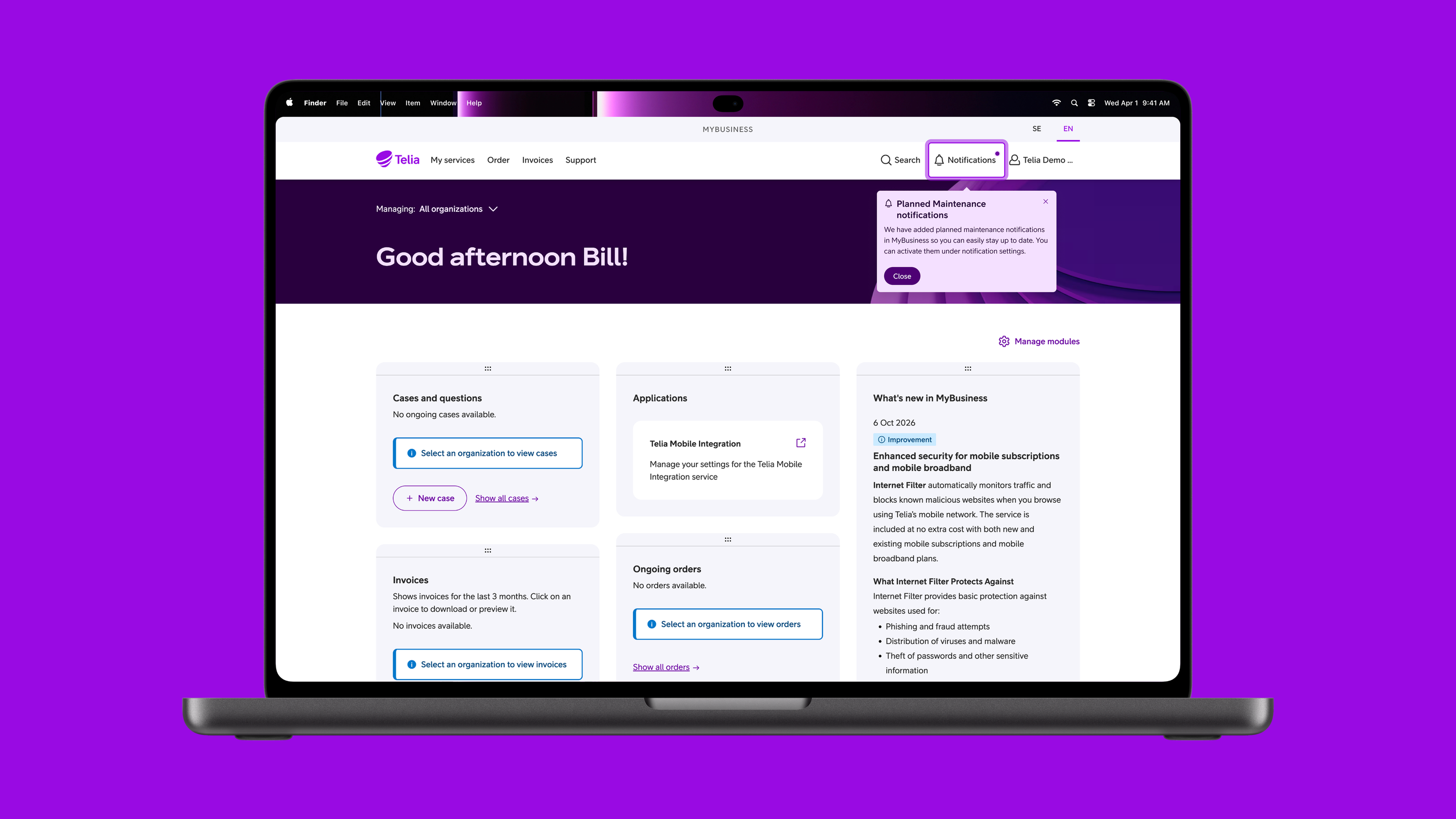
Telia is the Nordic region’s leading telecom operator, with millions of customers across five markets. For its business customers, staying on top of incidents, support cases, orders and planned maintenance meant digging through emails and text messages. Important updates were easily lost among everything else, and nothing in MyBusiness, Telia’s business portal, brought them together.
That limited Telia too. With only email and text to reach customers, it couldn’t send the more precise, timely updates that would actually help, like planned maintenance affecting one of a customer’s own sites.
The challenge was to give customers one clear overview of everything, without burying them in noise.
Context
Scoped many times, never built
A notification centre had been scoped and analysed several times before, but each time it stalled on the systems behind the portal. Telia still needed a way to reach its business customers beyond email and text, and both data and interviews showed that stakeholders were asking for it too.
By the time I joined eCare, the team behind everything customers do after logging in to MyBusiness, the decision had been made: this time it would be built. As the designer responsible, I built on the earlier work and took it through to launch.
Solution
Customers decide what they hear about
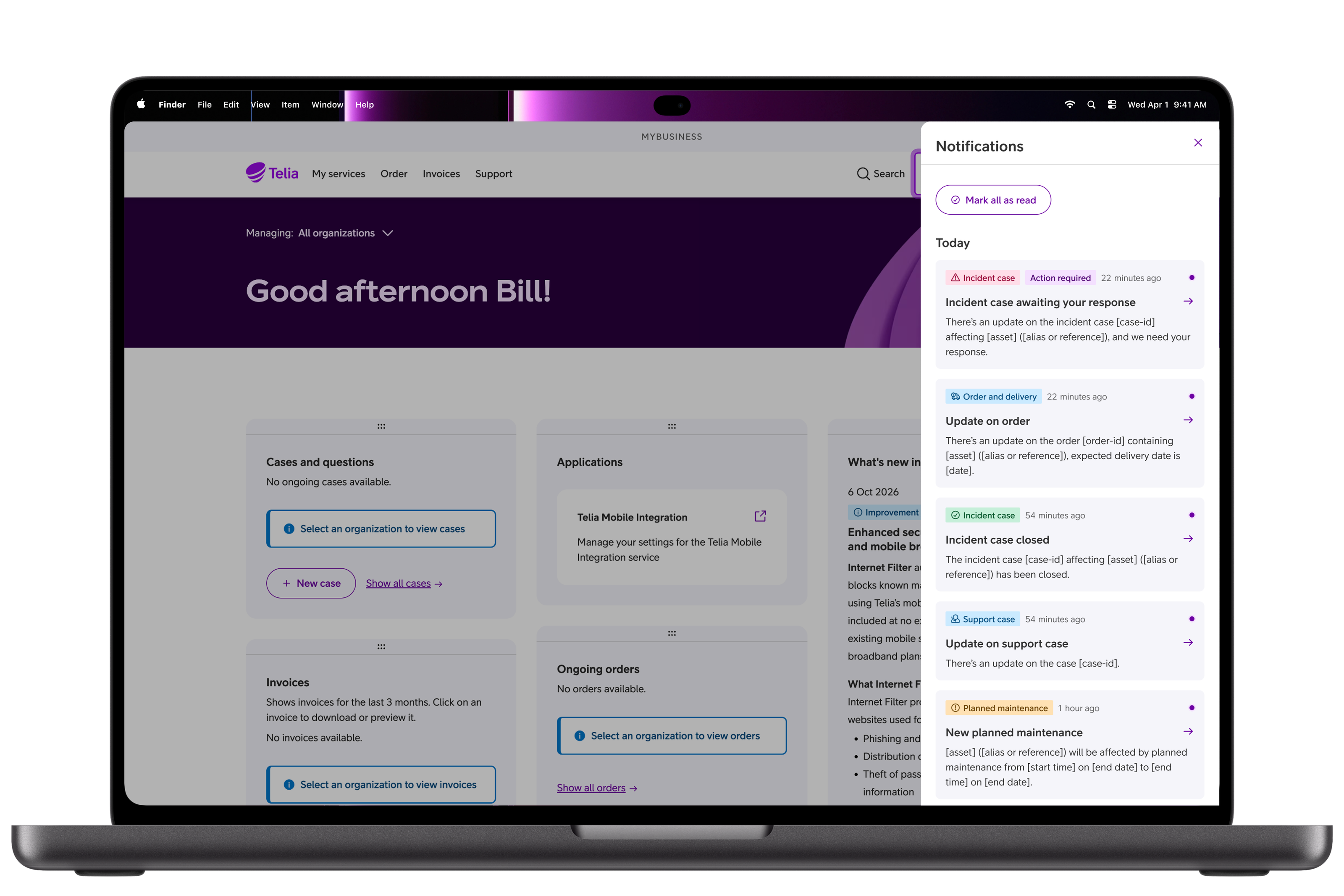
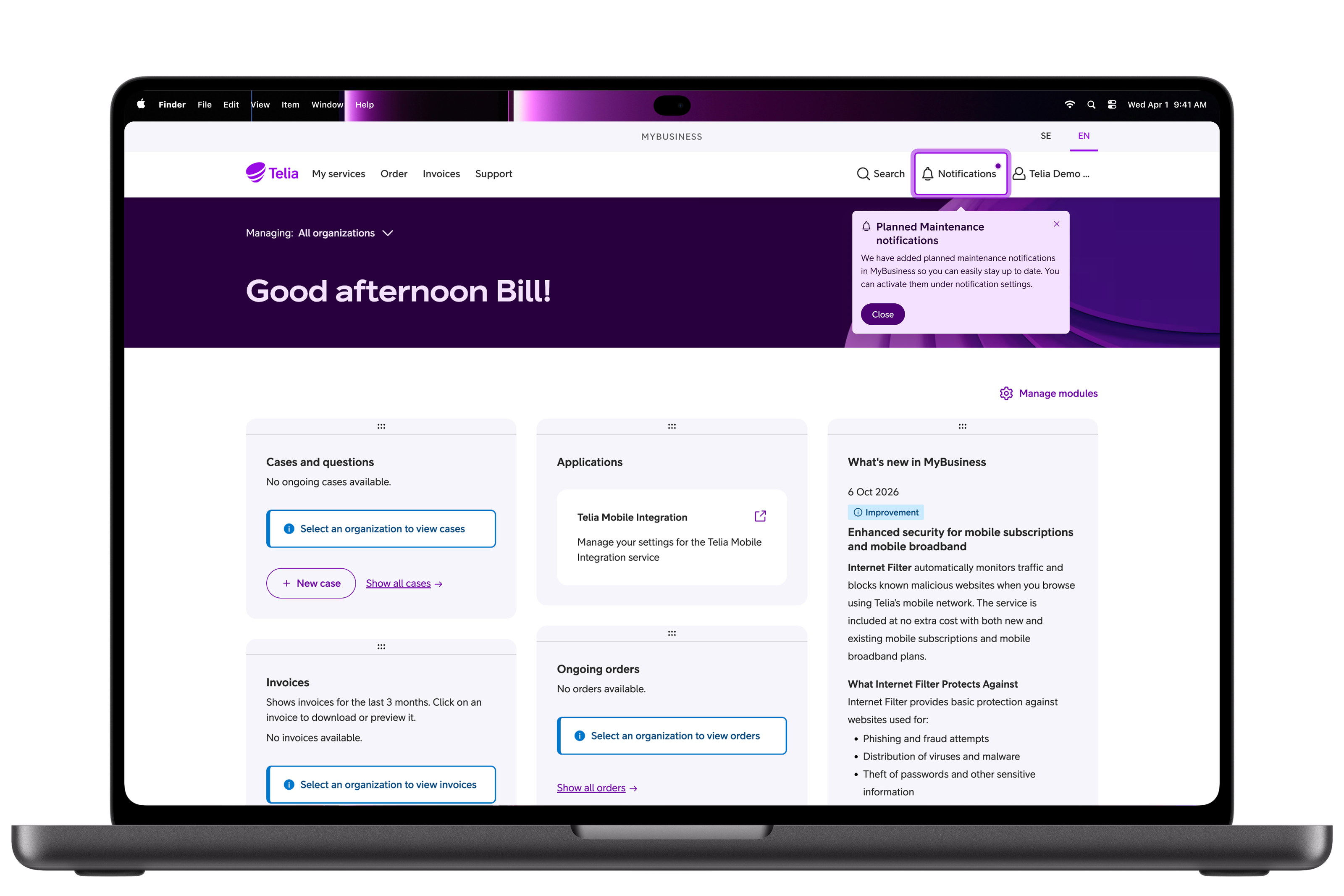
The notification centre gathers everything in one place in the portal, sorted into four categories, and lets each customer decide what reaches them and how. It’s built with Telia’s design system, Purpur, so it looks and works like the rest of the portal.
Four categories, many kinds of notification
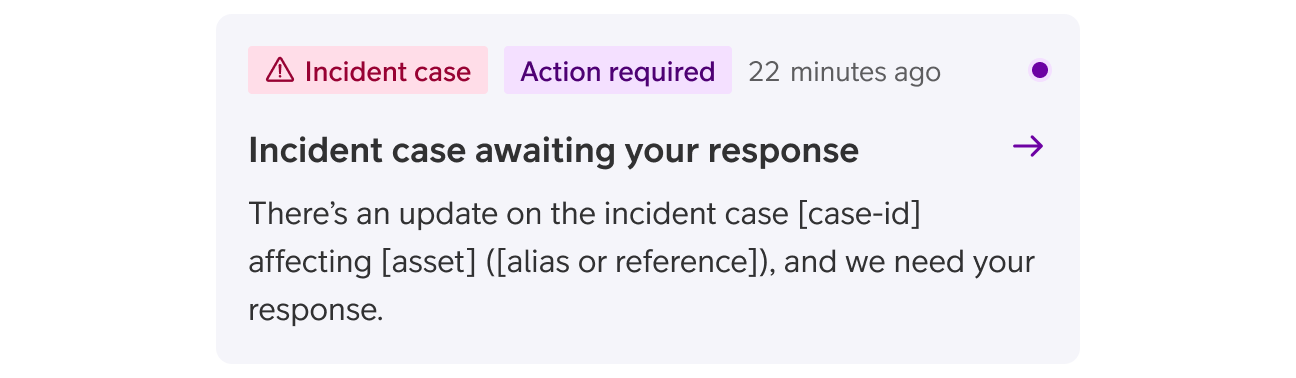
Incident cases, support cases, order status and delivery, and planned maintenance each cover a part of the account that customers need to keep track of. Some features send several kinds of notification within their own category, from a new case to one that’s awaiting the customer’s response, so each category had to hold different types with different content, and leave room for new ones as more features start sending them.
Only what’s relevant to you
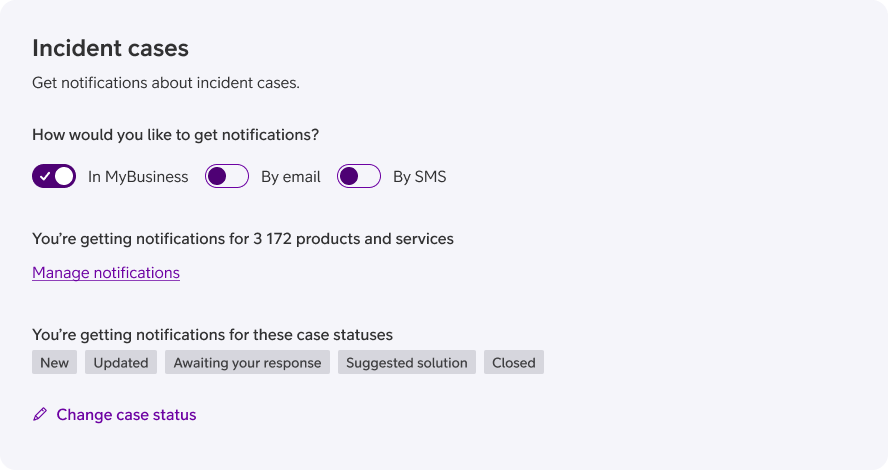
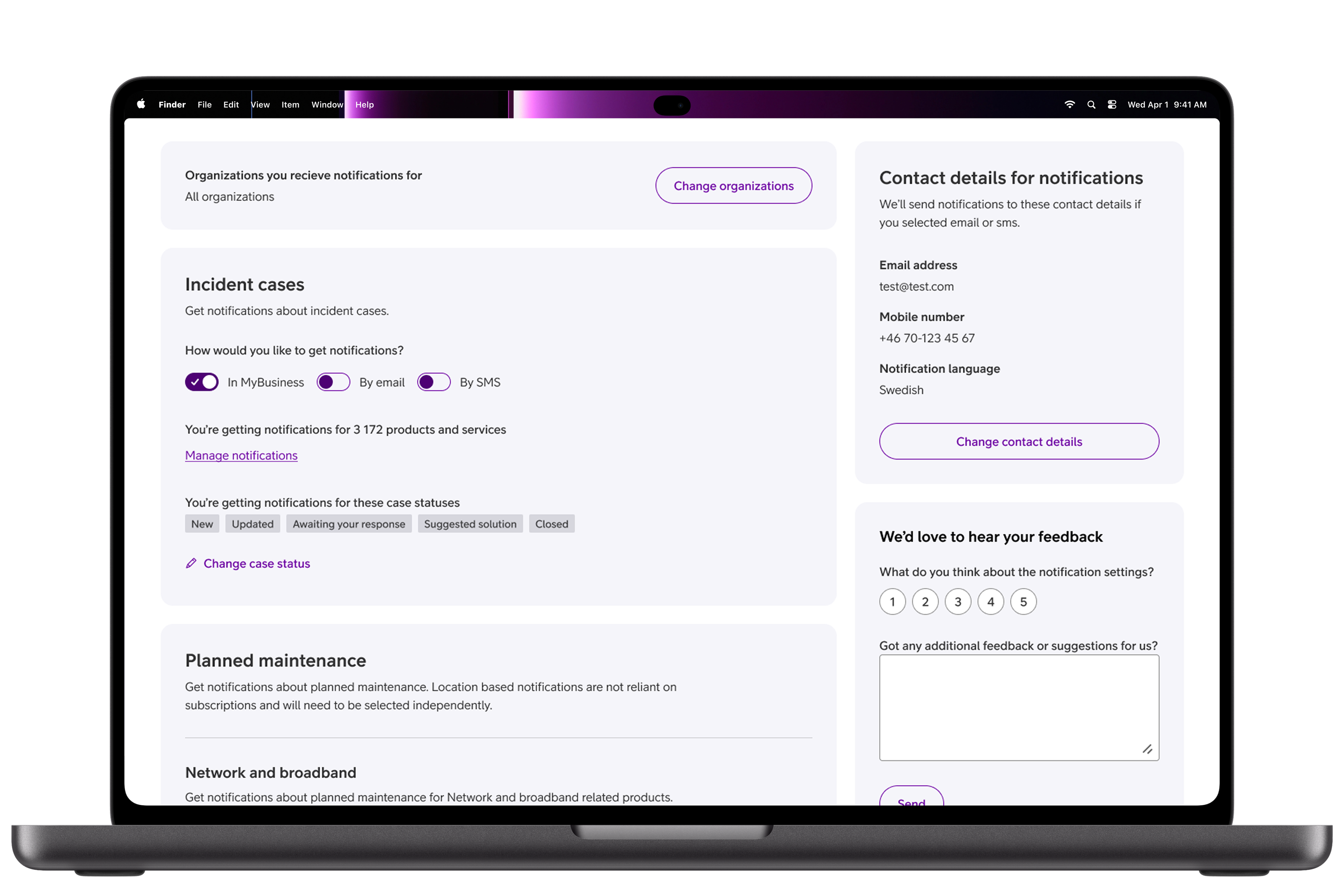
With notifications in the portal, Telia can send ones that matter to a specific customer, instead of broad announcements. Customers can narrow incident notifications down to specific products and case statuses, and planned maintenance for mobile services follows the locations they choose. Each person only sees notifications about what they have permission to see.
You choose how you’re told
Each category has its own settings. Customers choose which notifications they receive, and in most cases whether they get them in MyBusiness, by email or by text message. They can also choose which organisations to hear about, and set up notifications for colleagues.
Results
Used more than 100,000 times
The notification centre launched in stages, feature by feature, with two more steps still to come. At each release we tested the new features, read customers’ feedback and looked at how people moved through the flows in Medallia, and used what we learned to shape the next decisions.
Reflection
It was bigger than it looked
- Don’t underestimate the size. The project turned out far more complicated than it first looked. Planning for that, and having the resources to match, is a big part of why it turned out well.
- Keep stakeholders close. Tight, constant communication with stakeholders kept everyone aligned as the project grew.
- Be open to changing the rules. Some features needed us to adapt our usual standards. Being open to that, and to feedback, made the result better.
- Aim for a “final” version, but let it change. An early “final” design gave everyone a goal to work towards, and we could still change it as we learned.